

Product selection guide · 4 min read
Choosing Webcam Privacy Covers for Teams and Events

A webcam cover can give employees or event attendees a simple way to cover a camera lens when it is not in use. Check the device fit and logo area before ordering.
Check the device and camera placement
Measure the space around the camera and compare it with the cover's dimensions. Check that the cover will not obstruct a microphone, sensor, indicator light, or the screen.
Laptop bezels and closure clearances differ. Consult the device manufacturer's guidance and confirm that the chosen cover is suitable before closing a laptop with it attached. A sample can help evaluate fit.
Choose a cover and prepare artwork
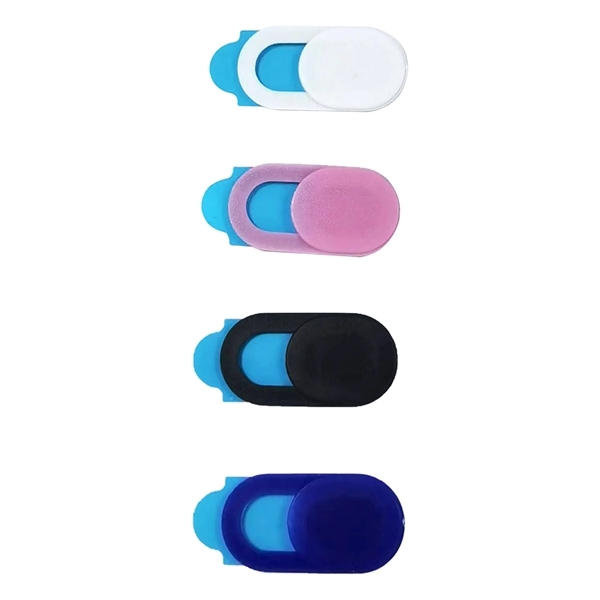
A sliding design lets the user uncover the lens when needed. Confirm how the selected cover attaches and whether it works with the intended devices; do not assume one size fits every laptop or phone.
The decoration area can be small. Use a simple, legible logo, check the listed imprint dimensions, and review a proof for placement and color before production.
Plan the order
Estimate the quantity for staff or attendees and allow for spares. Share the item, artwork, delivery location, and required arrival date when requesting a quote.
Confirm available colors, decoration, applicable setup and shipping costs, production timing, and sample availability for the selected item.
Shop custom webcam privacy covers →
Explore the collection
Products to consider
Compare these options and open a product for details and a quote.
Common questions
Will a webcam cover fit every laptop?
No. Camera placement, bezel size, sensors, and closure clearance vary. Check the device manufacturer's guidance and confirm the selected cover's dimensions and compatibility.
Can I add a logo to a webcam cover?
Some webcam covers have an imprint area. Send the selected product and artwork to confirm the available decoration and proof.